BBC Newsbites: Bringing Current Events Into Your Classroom
Daily, kid-friendly news stories + challenge questions
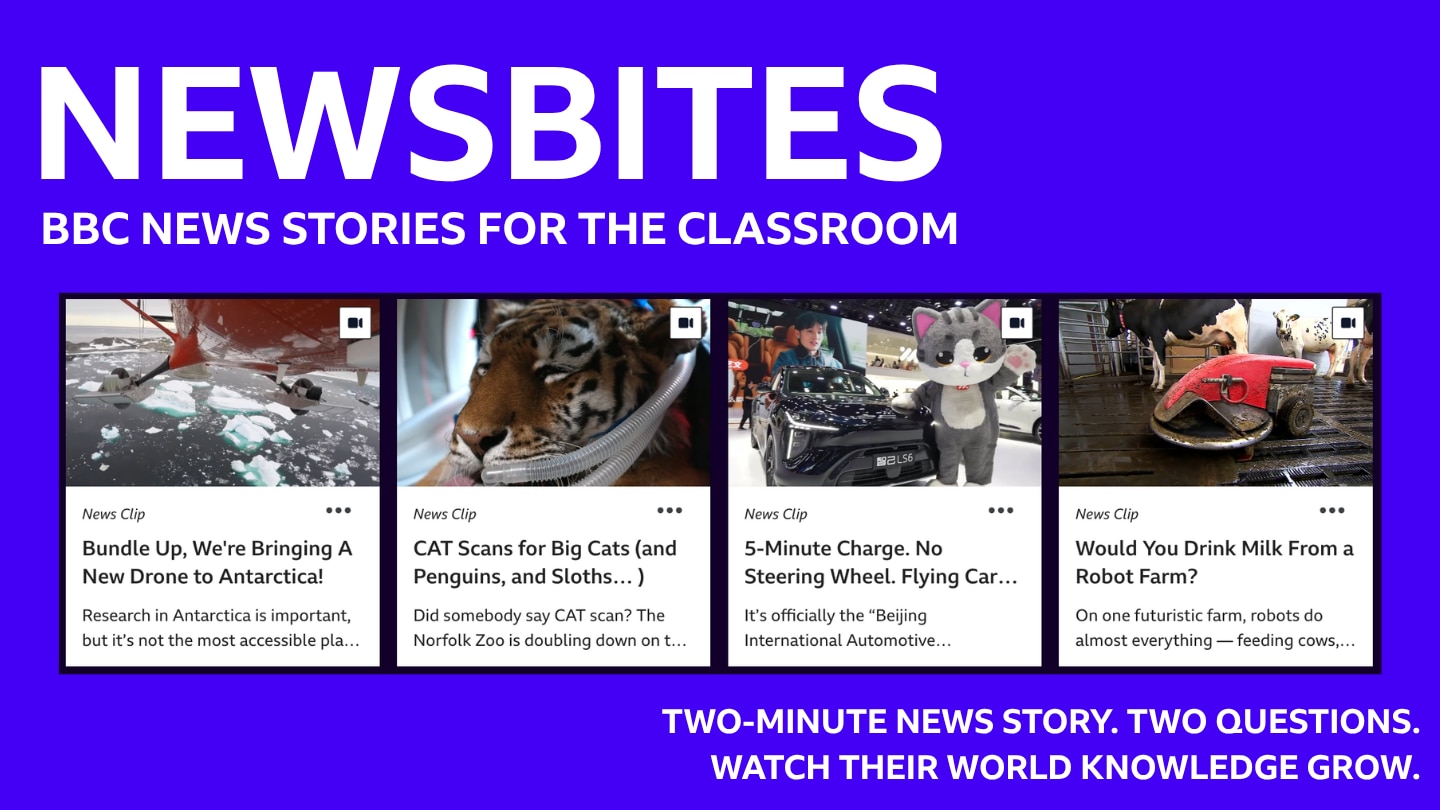
Want to help your students stay informed without another long lesson? The BBC Learning Hub Newsroom has you covered!
Get to Know Newsbites
Every weekday, the BBC Learning Hub Newsroom releases a new Newsbite, featuring a short BBC News clip that has been specially selected for students ages 8–14. Each clip comes with a brief written overview and two Challenge Questions designed to check students’ comprehension.
While the format stays the same, no two Newsbites are alike! One day, students may learn about robot dogs in Mexico, while on another day they may discover how British scientists are using AI to develop vaccines. Each Newsbite takes students somewhere new as they explore an interesting story from around the world.
What’s Included
Each Newsbite includes:
-
An engaging headline
-
A brief written overview
-
A BBC News clip lasting 2–4 minutes
-
Two Challenge Questions at different levels of difficulty
-
News Clip Info block for teachers, including age/grade, video length, subject, topic, standards, and keywords
-
Options to save the Newsbite to Saved Resources in your BBC Learning Hub account or add it to a playlist for later access

The BBC Learning Hub also contains the complete Newsbites library, so you can access earlier Newsbites at any time by selecting News Clips on the search page or simply searching "Newsbites." Plus, they’re all completely free!
Why Daily News Matters
Using Newsbites regularly can help students get into the habit of staying informed. With so much information coming at them every day, students need opportunities to practice making sense of what they see, hear, and read. Newsbites can help students build media literacy skills in just 5-10 minutes a day!
Using Newsbites in Your Classroom
Fitting Newsbites into Your Day
No matter what your school day looks like, you can use Newsbites without taking up too much instructional time. If your students have access to devices, you could use the daily Newsbite as a warm-up while they get settled, offer it as an activity for those who finish early, or make it part of your regular homework routine. Once you share the link, students can easily watch the video and answer the Challenge Questions. You could also watch a Newsbite as a class and then have students answer the Challenge Questions on their own or with a partner.
Connecting Newsbites to What You’re Already Teaching
Newsbites can also support your classroom lessons. The News Clip Info sidebar lists the subject, topic, and standards for each story, which can help you spot connections to what you’re already teaching. El Niño’s Coming in Hot, for example, could be a great way to support a unit on weather and climate, while A Heathland Bridge for Deer and Foxes and All the Wildlife could easily connect to a unit on human impact or engineering design! With a new clip added each weekday, you’ll have plenty of opportunities to connect current events to your curriculum.
Make Newsbites Work for Your Students
Newsbites are designed for students in grades 3–8, and a few simple adjustments can help you add the right level of challenge or support.
Support younger students or those who need extra scaffolding by:
-
Previewing unfamiliar vocabulary together.
-
Reviewing the written overview as a class before watching the news clip.
-
Turning on the captions.
-
Assigning only the Level 1 Challenge Question.
-
Allowing students to discuss their response with a partner.
Challenge older or more advanced students by:
-
Assigning both Challenge Questions.
-
Having students answer independently before discussing their responses.
-
Requiring students to support their answers with evidence from the news clip.
-
Asking students to explain why the other answer choices are less accurate.
Extend the Learning
Have a little more time? Keep the learning going with one of these ideas:
-
Use these news video response worksheets to help students understand and remember what they’ve watched. Pick one or a variety!
-
Challenge students to compare the Newsbite with another news story on a similar topic. What information does each one emphasize?
-
Have students create their own Newsbite about school or local news, complete with a short video clip, headline, written overview, and two Challenge Questions.
-
Hold a class discussion or debate about an issue brought up in the news clip.
Make News a Classroom Habit
Newsbites offer an easy way to incorporate current events into your classroom, no matter how you use them. In just a few minutes a day, students can build background knowledge across subjects, strengthen their media literacy, and become more informed about the world around them!
Create your free account to save resources, create video playlists, and get free printables!

To help your students dive deeper into news content, we created this bundle of news story response worksheets. We designed these worksheets to be used with any of our news videos and to keep students focused as they watch and enhance comprehension and retention. (Please note that some worksheet types are better fits for certain content and grade levels). Assign students the same one, mix them up, or let them choose!

Extra, extra! Read all about it! Introduce your students to the characteristics, roles, and purpose of the news. In this lesson, they’ll learn the different categories of news and what makes an event “newsworthy.”

News is happening all the time, everywhere. So how do journalists choose what to share? Introduce your students to the processes involved in gathering the news they consume every day. In this lesson, they’ll learn the importance of curiosity in shaping news.